The Tools page (/admin/tools) is BasePeak.AI's central tool registry. Here, workspace administrators manage the catalog of all tools available to agents. Only admin users can access this page.
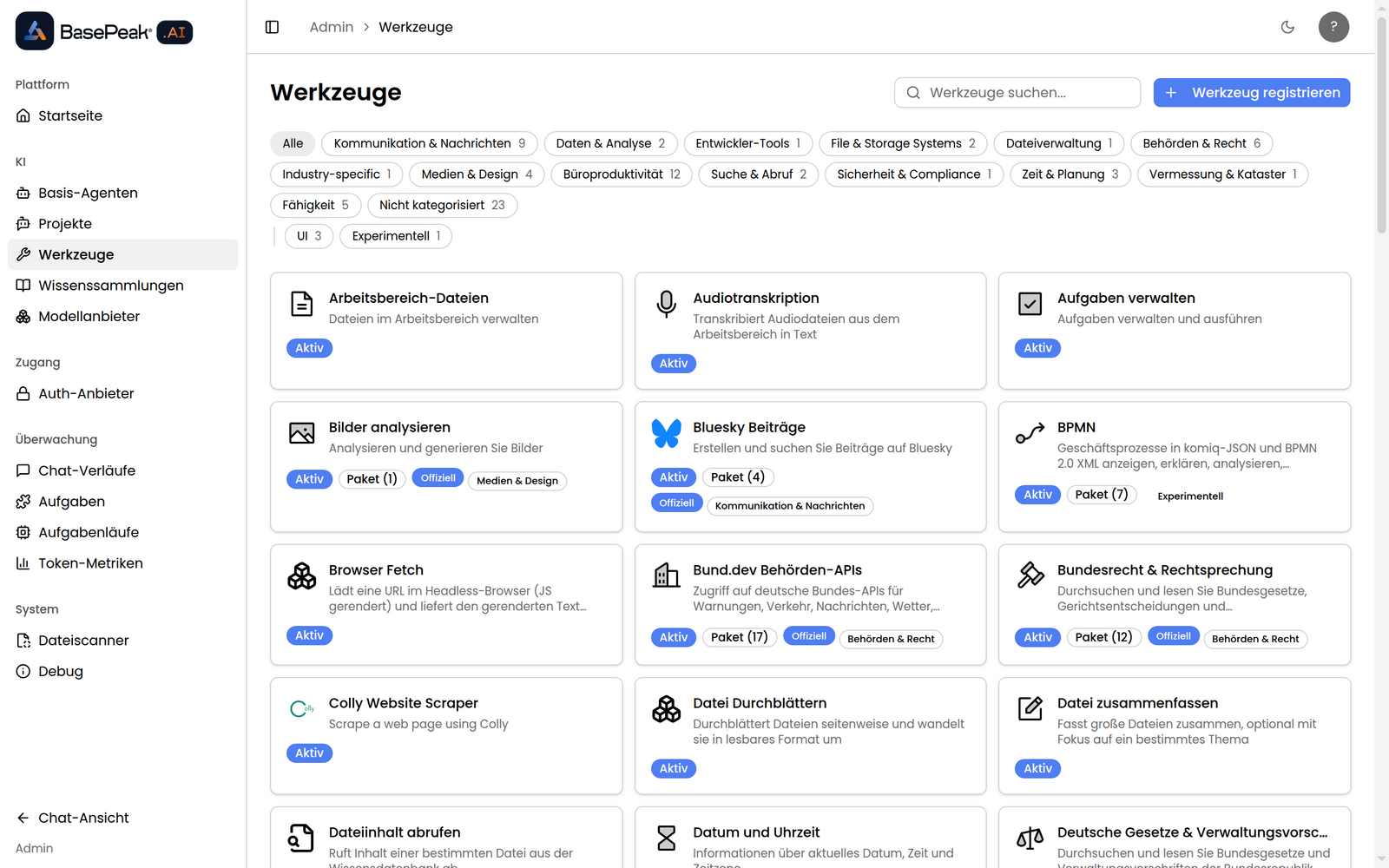
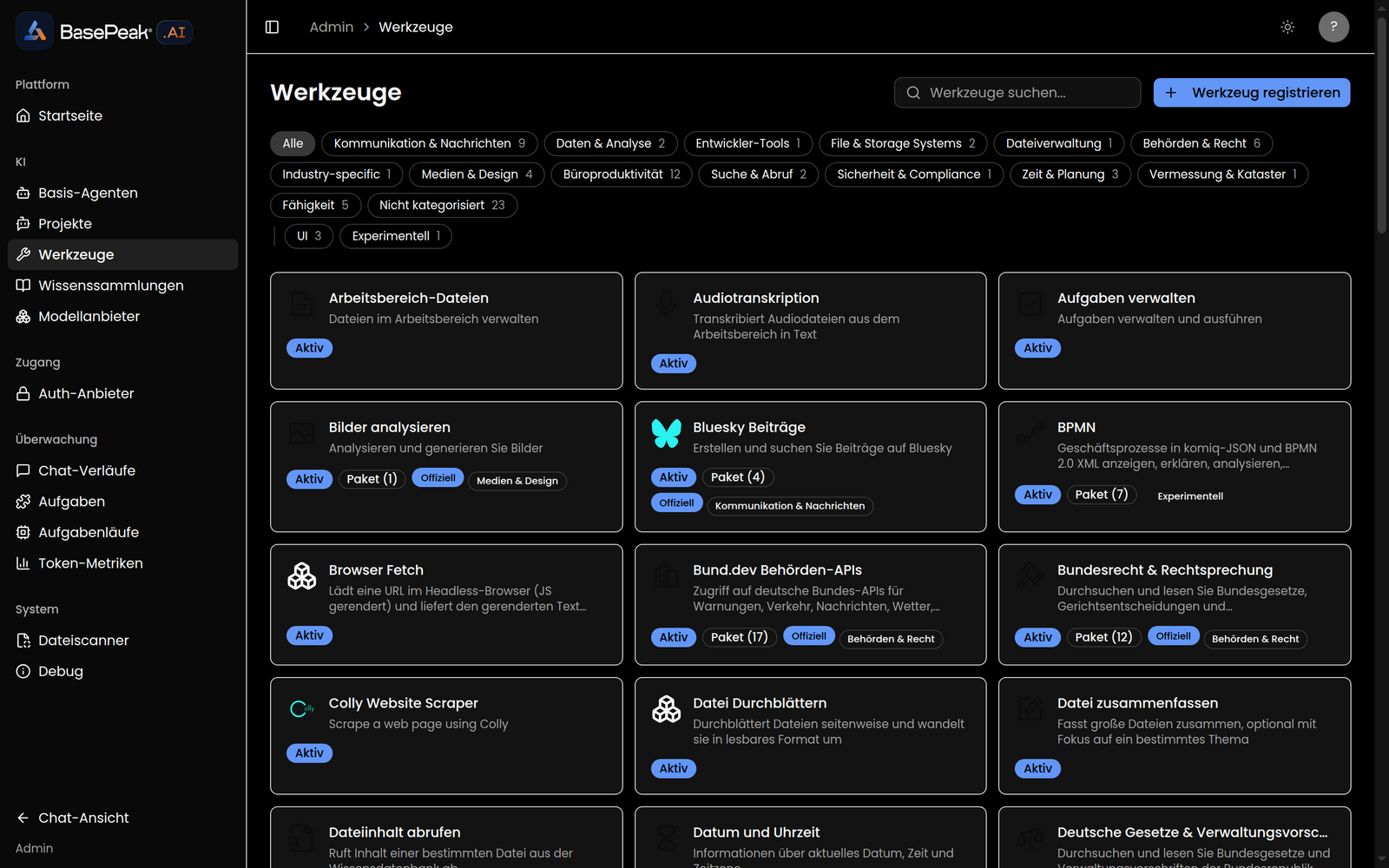
Overview
All available tools are displayed as a card grid. Each card shows the tool's icon, name, and a short description, along with a set of badges:
- Active / Inactive – whether the tool is currently usable by agents.
- MCP – the tool is provided by an MCP server.
- Bundle (count) – the tool is a bundle of multiple sub-tools. Clicking this badge opens the bundle contents (see below).
- Official – a tool provided by BasePeak.AI.
- Category badges that assign the tool to one or more categories.
Searching and Filtering
The Search tools... search field lets you search the catalog by name and description.
Filter chips are also available:
- Category chips – restrict the display to tools in a particular category. Clicking a category badge on a card activates the same filter.
- Property chips – filter by properties such as UI or Experimental.
Multiple chips can be active at the same time. If no matching tools exist, No tools match the active filters. appears together with the Clear filters button.
Viewing Bundles
Tools with the Bundle badge bundle several related sub-tools. Click the badge to open an overview that lists all included sub-tools with their names, descriptions, and respective Active or Inactive status.
- Click Register Tool in the top right.
- Under Tool type, choose between GPTScript tool and MCP server.
- Fill in the fields that depend on the selected type (see the tables below).
- Click Register Tool to add the tool to the catalog.
| Field | Description |
|---|
| Tool Reference URL | Reference to the tool definition (required), e.g. github.com/user/repo/tool.gpt. |
| Name (optional) | Display name of the tool. |
| Description (optional) | Short description of the tool. |
MCP server
| Field | Description |
|---|
| MCP server URL | Address of the MCP server (required), e.g. https://mcp.example.com/sse. |
| Auth token (optional) | Bearer token for the Authorization header. |
| Allowed tools (optional) | Comma-separated names of the enabled tools; empty = all. |
| Name (optional) | Display name of the tool. |
Custom-registered tools can be removed via the trash icon on their card. After confirming the prompt Are you sure you want to delete this tool?, the tool is removed from the catalog.
Built-in tools and capabilities cannot be deleted; no delete icon is shown for these.
Notes
- Registering or deleting a tool only changes its availability in the catalog – whether an agent actually uses a tool is determined per agent.
- Configuring OAuth credentials for tools is described separately under OAuth Tools.
The overview below lists the tools registered in BasePeak.AI by category, each with a typical use case. OAuth-secured tools connect to the respective service on the user's behalf without exposing credentials. Which tools an agent actually uses is determined per agent.
Communication
| Tool | Use case |
|---|
| SendGrid | Send transactional and notification emails programmatically. |
| Slack | Search Slack channels, read history, and send messages on the user's behalf. |
| Slack Bot | Post to Slack as a bot (with a bot token) — ideal for automated team notifications. |
| Discord | Send messages to Discord channels and threads as a bot. |
| Bluesky | Create and search for posts on Bluesky. |
| LinkedIn Publishing | Publish posts on LinkedIn (text, image, video, article). |
| Zoom | Create and update Zoom meetings and retrieve recordings or AI summaries. |
| Gmail | Read, compose, and send emails in Gmail. |
| Outlook Mail | Read, send, and manage emails in Microsoft 365 Outlook. |
Productivity & Office
| Tool | Use case |
|---|
| Google Docs | Create, read, and update Google Docs documents. |
| Google Sheets | Create, read, and write spreadsheets in Google Sheets. |
| Google Drive | Manage files in Google Drive. |
| Google Calendar | Manage events and calendars in Google Calendar. |
| Google Search Console | Pull search and performance data from Google Search Console. |
| Word | Create, write, and read Word documents in Microsoft 365. |
| Excel | Create, read, and update Excel spreadsheets in Microsoft 365. |
| OneDrive | Manage files in Microsoft 365 OneDrive. |
| Outlook Calendar | Manage events in Microsoft 365 Outlook. |
| Outlook Contacts | Manage contacts in Microsoft 365 Outlook. |
| Office (local) | Create and edit .docx, .xlsx, .pptx directly in the workspace — no Microsoft 365 account required. |
| WordPress | Manage posts, media, and categories on WordPress sites. |
| WordPress SEO | Analyze WordPress posts and get SEO recommendations. |
Knowledge & Search
| Tool | Use case |
|---|
| Knowledge | Search the knowledge set (RAG) and retrieve relevant results. |
| Knowledge Search | Answer a question directly from the knowledge set with source citations. |
| Chunked Reader | Load any supported file type and convert it to Markdown page by page. |
| Chunked PDF Search | Search large PDFs in chunks and answer with citations. |
| Get File Content | Reload the full content of a file previously cited by a knowledge search. |
| File Summarizer | Summarize large files, optionally focused on a specific topic. |
| Search Combo | Search the web with Google and read the results. |
Web & Data
| Tool | Use case |
|---|
| Browser Fetch | Render a URL in a headless browser (JavaScript) and return text plus the API endpoints the page called. |
| Firecrawl | Scrape websites with Firecrawl and convert them to Markdown. |
| Colly Website Scraper | Scrape a web page with Colly. |
| HTTP GET | Fetch a URL via HTTP GET (e.g. JSON from a web API). |
Databases & Files
| Tool | Use case |
|---|
| Postgres | Run SQL queries against a PostgreSQL database. |
| Microsoft SQL Server | Run T-SQL against a Microsoft SQL Server. |
| SMB/CIFS | Manage files on SMB/CIFS network shares with full CRUD. |
CRM & Sales
| Tool | Use case |
|---|
| Salesforce | Manage contacts, leads, accounts, and opportunities in a Salesforce account. |
| HubSpot CRM | Work with records in HubSpot CRM. |
| LinkedIn Search | Search for companies, people, and jobs on LinkedIn. |
| Tool | Use case |
|---|
| Images | Analyze and generate images. |
| Gemini Image Generator | Generate images via Google's Gemini Developer API. |
| Audio Transcription | Transcribe audio files via the Whisper API (large files are split automatically). |
Interactive surfaces
| Tool | Use case |
|---|
| Render UI Surface | Create or replace a persistent UI surface shown in the sidebar. |
| Patch UI Surface | Incrementally update an existing UI surface via an RFC 6902 JSON Patch. |
| Render Weather (demo) | Show a weather card with live data and a 5-day forecast. |
| Render Approval Card (demo) | Show an approval card for human-in-the-loop steps with Approve/Reject. |
| Render Currency Conversion (demo) | Show a currency conversion based on ECB reference rates. |
Productivity primitives
| Tool | Use case |
|---|
| Tasks | List and run automated tasks. |
| Threads | Create multiple conversation threads on an agent. |
| Memory | Store and retrieve the agent's long-term memories. |
| Time | Get the current date, time, and time zone. |
| Workspace Files | Manage files in the workspace. |
German public sector
| Tool | Use case |
|---|
| German Laws (Gesetze) | Search and read German federal laws and administrative regulations. |
| NRW State Law | Search state laws, ordinances, and administrative regulations from recht.nrw.de, and read a document in full text by URL. |
| NeuRIS — Federal Law & Case Law | Search laws, court decisions, and legal literature via the official NeuRIS API. |
| OParl Parliamentary Data | Query meetings, papers, and resolutions from OParl-compliant council information systems. |
| XZuFi Administrative Services | Retrieve administrative services and responsibilities from the PVOG search service. |
| bund.dev | Use German government APIs (NINA alerts, Autobahn, Tagesschau, DWD weather, water levels, job search, and more). |
| GEORG (Geosoft) | Query orders, addresses, and cases in a GEORG surveying database (read-only). |
| RIS (council information system) | Answer questions about municipal meetings, papers, and resolutions. |
Security & smart home
| Tool | Use case |
|---|
| PII Service | Detect personally identifiable information (PII) in German text (17+ entity types, e.g. IBAN, tax ID). |
| SmartThings | Control smart home devices via SmartThings and manage automations. |
Business processes
| Tool | Use case |
|---|
| BPMN (experimental) | View, analyze, convert, and edit business processes in komiq JSON and BPMN 2.0. |